Tianna Canchola
Digital Media

Conclusion Questions
1. In as much detail as possible record the steps it took to create this project in photoshop. Use complete sentences.
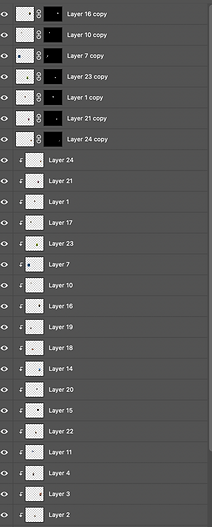
Open up Adobe Photoshop, create new file, then click on print and the letter size would be 8.5x11. It would be horizontal, click create, then select texts or type tool. You would type your name in but you would want it stretch, so you would click "Command". Then you are going to add 15 picture or more. I order of the picture to be inside your name you would have to click "Clipping Mask".
You would take one of your photo's and you would make another copy but you would click on "Selection Tool", click whatever you want to pop out. Finally, you would click "Release Clipping Mask" and you should have a name with picture and some pop outs.
2. What are clipping masks? How do they differ from just using the eraser tool in photoshop? How might you use them in the future to create more projects in photoshop?
Clipping mask is a group of layers to which a mask was applied. It does eraser very thing and it would layer the photo. I could use this in the future to create my our layers.
3. What was successful in your project? What was unsuccessful and what would you do differently next time to solve this problem?
The thing that was successful in my project was my pop outs. The most unsuccessful thing was my layers and I would work more on doing layers.
4. Based on the learning target, "Create a multimedia collage of personal interests, identity, and culture in photoshop that demonstrates knowledge of media and technology skills by utilizing clipping masks and layer masks. " what level of mastery does your project demonstrate (Exceeds, Meets, Needs Work, minimal understanding). Why do you think? Make sure to provide specific evidence.
My level of mastery was like a 4 because I think I understand it. I think I did my best try this out and more things.